Step-by-step example
1. Prepare system
Follow these instructions to prepare your system for native compilations.
2. Project creation
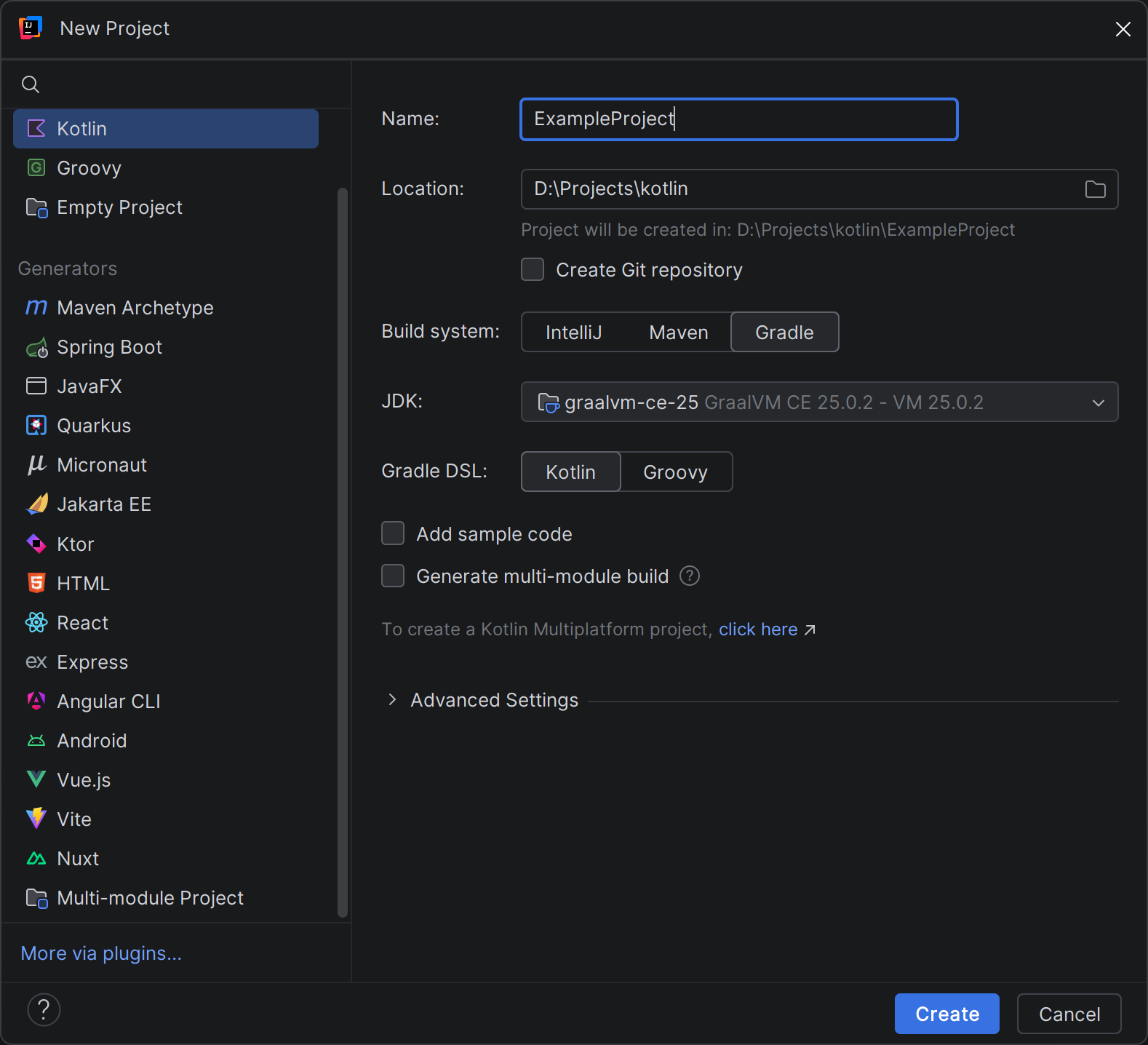
Create new Kotlin project in IDEA
- Select Gradle as a build system
- Select Kotlin as a Gradle DSL
- Uncheck "Add sample code"
3. Reconfigure to Multiplatform (optional)
Note
By default, IDEA creates a Kotlin/JVM project. Since the plugin supports Multiplatform, further examples will use it.
You can skip this step to use only Kotlin/JVM.
In build.gradle.kts:
- Change
kotlin("jvm")tokotlin("multiplatform") - Remove
dependencies {}andtasks.test {}blocks - Clean
kotlin {}block and addjvm()
Minimal Multiplatform build.gradle.kts will look like this:
plugins {
    kotlin("multiplatform") version "2.3.20"
}

group = "org.example"
version = "1.0"

repositories {
    mavenCentral()
}

kotlin {
    jvm()
}
In Project:
Clean content in src and create commonMain/kotlin/ directory
4. Declare natives
Add native-kt plugin:
Declare new native project myNatives and disable useForeignApi (for JDK < 23):
Synchronize Gradle and call task:
5. Call function
Create Kotlin file and write main function:
import natives.myNatives.*

suspend fun main() {
    // Load library
    loadMyNatives()

    // Call
    helloWorld()
}
Further development.
You can now edit the natives/myNatives/api.ndl file, sync Gradle to generate code,
and use it.